
AI agents are moving beyond chatbots. They can interpret goals, use software, complete several steps, and take actions. Here is what they are, how they work, and what users need to know before trusting them.
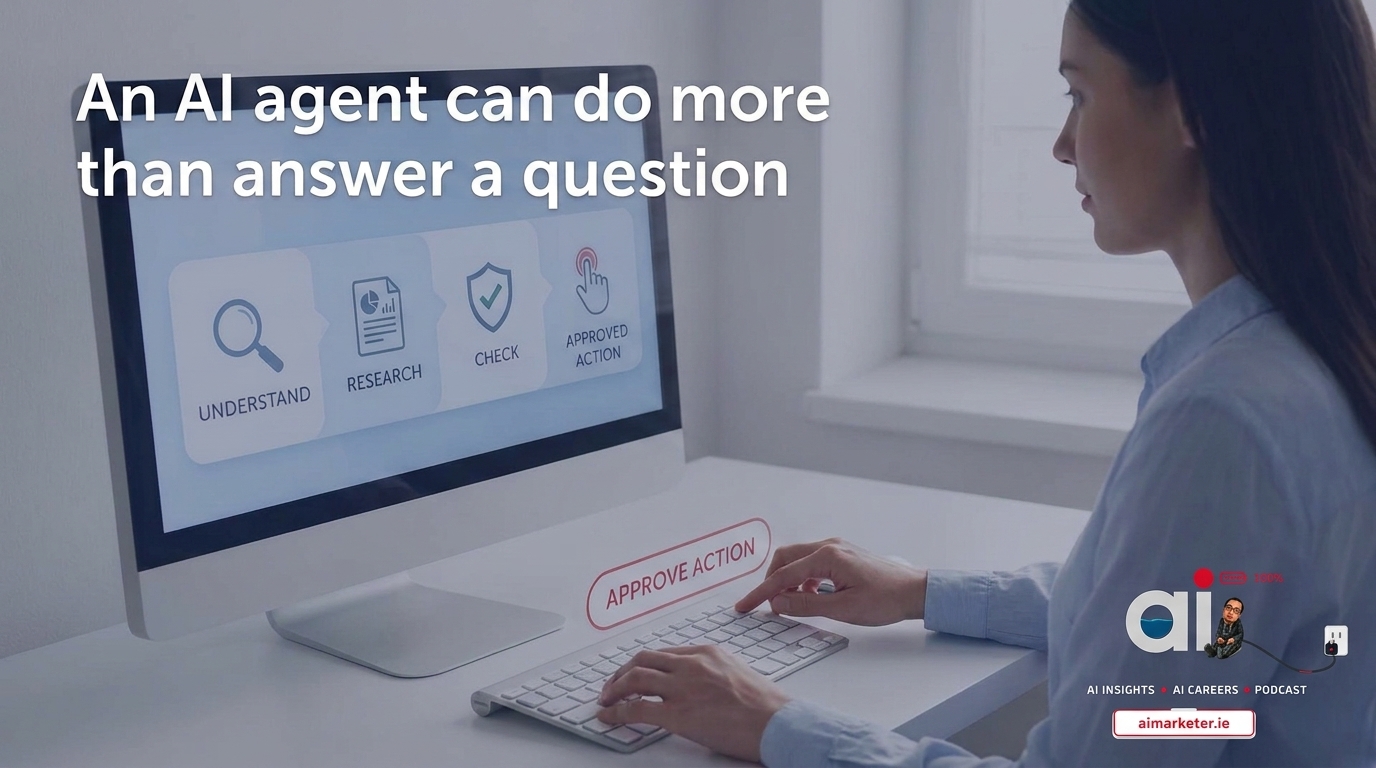
An AI agent can do more than answer a question. It can use software, complete several steps, and act on your instructions.
That difference is changing how people think about artificial intelligence.
A chatbot waits for you to type a prompt and usually returns a response. An AI agent starts with a goal, works out a sequence of actions, uses approved tools, checks the results, and continues until the task is complete or it needs your help.
For example, a **chatbot** can suggest three ways to improve a sales email.
**An AI agent **could review a customer record, check recent conversations, draft a personalised message, add a follow-up task to a CRM, and ask you for approval before sending it.
The technology is becoming more practical, but it also introduces new questions about accuracy, permissions, privacy, and responsibility. Before giving an AI agent access to your files or business systems, it is important to understand what it can really do.
**What is an AI agent?** An AI agent is a software system that works towards a goal by interpreting information, making decisions, using tools, and taking actions.
OpenAI describes agents as systems that can independently accomplish tasks on a user’s behalf. Its practical guide identifies three core elements: a model that manages decisions, tools that connect the system to external services, and instructions that define how it should behave. Read OpenAI’s guide to building AI agents.
Microsoft defines an AI agent as a system that achieves a goal by taking action based on what it perceives in its environment. This means an agent is not limited to generating text. It can respond to events, inspect information, decide what to do next, and complete a defined workflow. Microsoft’s AI agent guidance explains the difference.
The word “agent” is sometimes used too loosely. Not every AI feature is an agent. A tool that summarises a document is useful, but it may not be an agent if it cannot decide what steps to take or interact with other systems.
**How is an AI agent different from a chatbot?** The simplest difference is action.
A chatbot mainly produces information. An agent can use information to complete work.
**What can AI agents do?** AI agents are most useful when the task is repeatable, involves several steps, and has a clear outcome.
**Common examples include:**
- Preparing reports from information stored in several systems. - Sorting and responding to routine customer-service requests. - Reviewing documents against a checklist. - Preparing meeting briefings from calendars, emails, and previous notes. - Finding software bugs and suggesting or testing code changes. - Monitoring a process and alerting a person when something needs attention. - Creating draft marketing content from approved brand information. - Helping students practise a topic through questions and feedback. - OpenAI’s guidance suggests that agents are particularly suitable for work involving complex rules, unstructured information, or conversations that require interpretation.
A simple task with fixed steps may be better handled by ordinary automation because it is easier to predict and test.
This is an important point. An AI agent is not automatically the best solution. If a normal spreadsheet formula or software rule can complete the task reliably, adding an AI system may create unnecessary uncertainty.
**How does an AI agent make decisions?** An agent usually follows a loop:
- It receives a goal or trigger. - It examines the available information. - It creates or selects a plan. - It uses an approved tool. - It checks the result. - It continues, changes direction, or asks a human for help. - Suppose an agent is asked to prepare a weekly sales report. It may first gather figures from a CRM and finance system. It may then compare this week with the previous period, identify unusual changes, create a summary, and place the report in a shared folder. - The agent is not simply predicting the next sentence. It is deciding which action should happen next based on the current state of the task.
That process is often called “agentic” because the system has a limited ability to act on behalf of a person or organisation.
**What are the main risks?** The first risk is incorrect interpretation. An agent may misunderstand the goal and take a reasonable-looking action that is still wrong.
The second risk is excessive permission. An agent that can read information should not automatically be allowed to delete, publish, purchase, or send it. Access should match the task.
The third risk is prompt injection. This happens when information the agent reads contains instructions designed to manipulate its behaviour. A webpage, email, document, or customer message might tell the agent to ignore its original instructions or reveal private information.
Anthropic’s research on trustworthy agents warns that agents can misread users’ intentions, take unintended actions, and become targets for prompt-injection attacks. The company advises organisations to think carefully about which tools, data, permissions, and environments they provide. Read Anthropic’s guidance on trustworthy agents.
There is also the problem of false confidence. An agent may complete a task successfully while using an incorrect assumption. A polished report is not proof that the underlying data or reasoning is correct.
**How should organisations use agents safely?** Start with a narrow workflow rather than giving an agent access to everything.
A sensible first project should have:
- A clear goal. - A defined beginning and end. - Approved data sources. - A small number of tools. - A way to measure success. - A human review step. - A simple method for stopping the agent. - Use read-only access wherever possible. If the agent needs to make changes, begin with reversible actions. For example, ask it to draft an email rather than send it, or prepare a CRM update rather than publish it automatically.
Keep a record of the agent’s actions. Users should be able to see what information it accessed, which tools it used, what decisions it made, and where a human approved the final action.
Microsoft’s adoption guidance recommends planning, governing, building, and managing agents as part of a wider organisational process. In other words, deploying an agent is not only a technical project. It is also a question of policy, training, security, and accountability.
What does this mean for students and everyday users? AI agents may become useful study partners, research assistants, and personal organisers. They can help break a large task into smaller steps and provide feedback while you work.
However, students should remain in control of the learning process. An agent that writes every answer may complete the assignment while leaving the student with less understanding. The best use is often guided practice: ask the agent to explain, question, test, and correct your thinking rather than simply produce the final work.
Everyday users should also check permissions carefully. Before connecting an agent to email, cloud storage, calendars, or financial information, ask what it can access and what it can change.
**The future is not just smarter chatbots** AI agents represent a shift from asking AI for an answer to delegating a task to AI.
That shift could make software easier to use. People may not need to learn every menu or workflow if they can describe the outcome they want. It could also help organisations automate repetitive work and give people faster access to information.
But delegation only works when trust is earned. Agents need clear boundaries, reliable tools, understandable records, and human oversight for important decisions.
The most useful question is not, “What can this AI agent do?” It is, “What should I allow it to do without asking me first?”
That question will shape the next stage of AI adoption in schools, workplaces, and everyday life. What’s your next move in AI?
Don’t just read about the future—build it. Catch the latest news and industry breakdowns at aimarketer.ie.
Got a complex workflow, an integration hurdle, or an automation concept? Our AI team transforms ideas into working, custom-built tools for your brand.
💡 Discuss your project: aimarketer.ie/ai-automation
#AIAgents #ResponsibleAI #FutureOfWork
Author tools
Join the discussion
Comments
Add a thoughtful response or a question. Every contribution is reviewed before publication.
Be the first to start the conversation.